

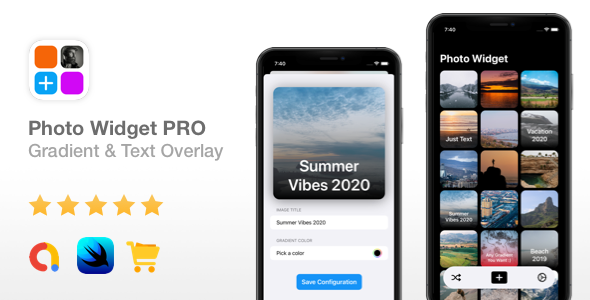

Picture Widgets are some of the trending widget classes on the App Retailer. Have you ever seen the High Paid chart? Within the first 48 hours after iOS 14 went reside, there was a Picture Widget app promoting for $0.99. It was probably the most downloaded Paid app within the U.S. App Retailer for greater than 3 days in a row.
We’re joyful to ship one thing extra… A Picture Widget with In-App Purchases, AdMob Adverts, and yet one more cool function… gradient and Textual content overlay that you may set for every picture.
WHAT DOES THIS PRODUCT OFFER YOU
The app as proven within the video demo. Be happy to ask questions earlier than shopping for. The complete supply code incorporates all of the UI code, widget code, and different configurations. Sharing the information between the app and widget is completed by way of the Apps4World framework, this manner it’s simpler to share widespread code between a number of targets. The framework code will not be included since you received’t actually need it, there may be nothing to alter within the framework.
Help will probably be offered for any code-related questions.
WHAT DO I NEED TO GET STARTED
You will have a Mac pc with Xcode 12 put in. A Google AdMob account if you wish to present full-screen advertisements. This app as you most likely know works on iOS 14+. Additionally, it’s essential that you’ve an Apple Developer account as a result of widgets require App Teams in an effort to share knowledge between the widget and the app, and App Teams will be correctly created solely you probably have a developer account.
HOW DOES IT WORK
– The primary display that customers will see, is the one with a properly designed informational view, saying that there aren’t any photographs but and guiding customers on tips on how to add extra photographs, delete a photograph, and add gradient overlay and textual content for a particular photograph
– When the consumer faucets the ”+” button, they are going to see the Picture Library, and by default, for customers who didn’t improve to the professional model (in-app buy), they are going to have the ability to choose solely 2 photographs. This may be simply modified to as many photographs as you need within the AppConfig file.
– Customers will probably be introduced with a welcoming in-app purchases display the place they will buy the professional model and unlock the choice to pick as many photographs as they need in addition to take away the full-screen advertisements.
– By long-pressing on a photograph, the app will delete that photograph from the app. Double-Tapping on a photograph will launch a brand new display, the place customers can choose a colour for the overlay gradient and textual content that will probably be positioned on prime of the gradient and picture. After the consumer saves the overlay gradient/picture adjustments, they are going to be introduced with a full-screen Google AdMob advert.
You cannot set completely different photographs for various widgets. All widgets will render the identical photographs that you choose within the app.
Please see the video demo. Additionally, don’t overlook that you’ll want your CodeCanyon License Code in an effort to use this app template.
As at all times, we want you good luck with this product and don’t overlook to subscribe to our YouTube channel, so you would be the primary one to know when a brand new app template is launched.
CONTACT US MORE APP TEMPLATES
Skype: Apps4World
E-Mail: [email protected]
https://apps4world.com/

