

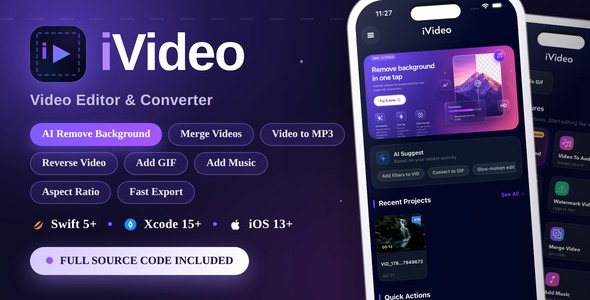
iVideo | Video Editor & Converter – iOS Supply Code
iVideo is a whole, all-in-one video editor and converter for iOS, written in Swift. Model 3.0 is a serious launch that provides an on-device AI background remover, built-in AdMob + In-App Buy monetization, and a totally redesigned darkish UI.
It’s constructed for the sort of apps folks truly ship – enhancing movies for Instagram, TikTok, YouTube, Fb, Reels and Shorts – with trimming, merging, velocity management, filters, music, GIFs and HD / 4K export.
If you wish to launch a contemporary video editor with out constructing one from scratch, the supply code is clear, effectively documented and straightforward to rebrand.


⭐ What’s New in Model 3.0
Model 3.0 is the most important replace to this point. The 2 headline additions – on-device AI and full monetization – allow you to launch a extra succesful app and begin incomes with out standing up a backend.
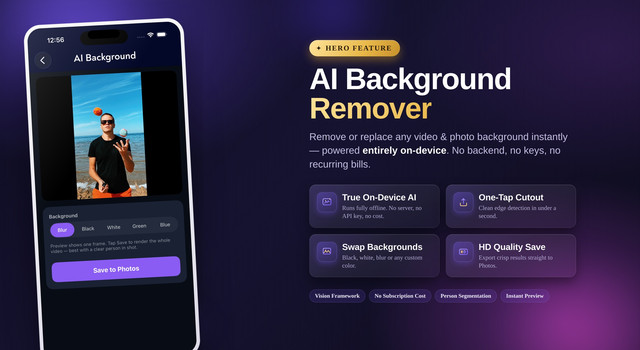
- AI Background Remover — removes or replaces the background utilizing on-device AI. Runs absolutely offline, so there’s no server to host and no API key to pay for.
- Facet Ratio Reframe — change between 9:16, 1:1 and 16:9 for Reels, TikTok and Shorts in a single faucet.
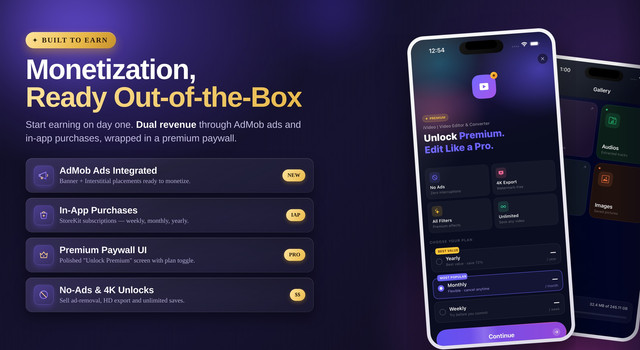
- AdMob Adverts Built-in — Banner + Interstitial placements, working alongside In-App Purchases for twin monetization.
- Enhanced Filters + Redesigned Dwelling — a brand new darkish UI with Latest Tasks and AI Options.
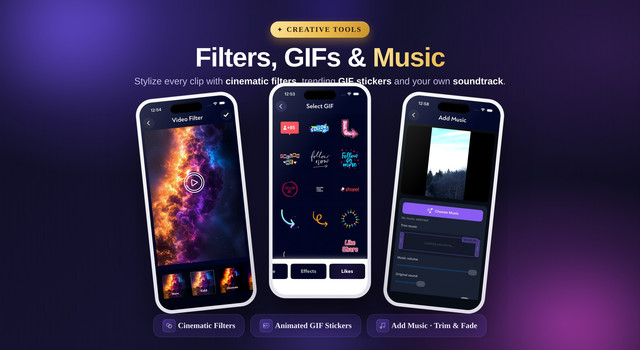
- Add Music — import a observe and management trim, fade and quantity.
- Sooner Export — the rendering pipeline was reworked for faster HD / 4K output.
⚡ Core Options
AI & Framing
- AI Background Remover – on-device cutout and background exchange
- Facet Ratio Reframe – 9:16, 1:1, 16:9 for any platform
Enhancing
- Trim & Reduce – exact multi-clip trimming
- Merge – mix a number of clips into one
- Pace Management – gradual movement and quick ahead
- Reverse – play any clip backwards
- Filters & Results – one-tap seems
Inventive
- Add Music – trim, fade and quantity mixing
- Add GIF – animated stickers on video
- Textual content & Stickers – captions and overlays
- Watermark – model and defend your clips
Convert & Export
- Video to GIF – export clips as GIFs
- Video to MP3 – extract audio
- Video to Picture – seize frames as photographs
- HD / 4K Export – high-quality output
Constructed-in Monetization
Two income streams are wired in out of the field, so you may monetize with out writing any integration code:
- AdMob — Banner and Interstitial advertisements, able to drop in your unit IDs.
- In-App Purchases — StoreKit subscriptions with Weekly, Month-to-month and Yearly plans, behind a premium paywall that unlocks no-ads, HD export and limitless saves.
✨ Why Select iVideo?
- It earns from day one. AdMob and IAP are already built-in – no additional SDK work earlier than you may monetize.
- The AI prices nothing to run. Background elimination occurs on the machine, so there are not any server or API payments as your consumer base grows.
- It seems like a completed product. The redesigned darkish UI is App Retailer prepared, not a tough starter template.
- The code is clear and scalable. Programmatic UI, reusable parts and SPM make rebranding and customizing simple.
- You ship quicker. The enhancing engine and converters are executed – you give attention to branding and launch.
- Lifetime free updates, plus writer assist in the event you get caught.
A powerful match for builders, businesses, startups and creators who need to launch a video editor rapidly and with confidence.
Straightforward Customization
The app is constructed principally with a programmatic UI strategy, so colours, fonts, themes, layouts, animations and parts are simple to alter. The construction is organized for scalability and maintainability, which retains customization quick – whether or not you’re rebranding for a consumer or constructing on high of it.
⚙️ Technical Particulars
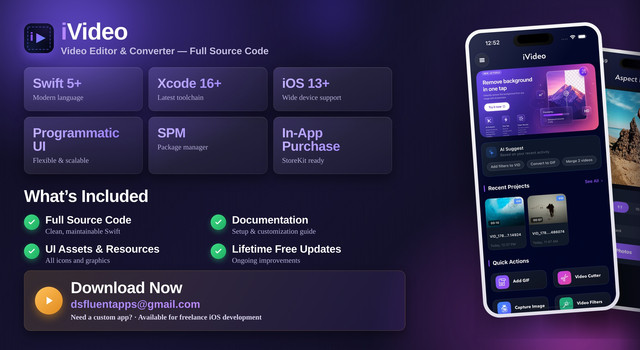
- Swift 5+
- Xcode 16 or later
- iOS 13+ – broad machine protection
- Swift Bundle Supervisor (SPM) integration
- Programmatic UI strategy
- AdMob + StoreKit / In-App Buy prepared
- Reusable parts and clear code construction
- Optimized efficiency
Bundle Contains
- Full supply code
- Documentation (setup & customization information)
- UI belongings and sources
- Lifetime free updates
Model Log
Model 3.0: twenty fourth June 2026
- [New] AI Background Remover - on-device, no server or API key
- [New] Facet Ratio Reframe - 9:16, 1:1, 16:9 for Reels, TikTok & Shorts
- [New] AdMob Adverts integration - Banner + Interstitial
- [New] In-App Buy paywall with Weekly / Month-to-month / Yearly plans
- [New] Add Music with trim, fade and quantity mixing
- [Updated] Redesigned darkish Dwelling with Latest Tasks and AI Options
- [Updated] Enhanced filter presets
- [Updated] Migrated to newest Swift and Xcode 16
- [Improved] Sooner HD / 4K export pipeline
- [Improved] Total stability and responsiveness

Model 2.0: twentieth September 2024
- [Updated] Full fashionable UI redesign
- [Updated] Animations and navigation move
- [Updated] Newest Swift assist
- [Improved] Efficiency optimization
- [Improved] Stability and responsiveness
- [Improved] Migrated most dependencies to Swift Bundle Supervisor

Model 1.0:
- [New] Preliminary launch
- [New] Core video enhancing and converter options
Want Customized App Growth?
Electronic mail: [email protected]
We tackle freelance iOS work and customized app initiatives. When you’ve got an concept you need constructed, get in contact – blissful to debate scope, timeline and tech stack.

