

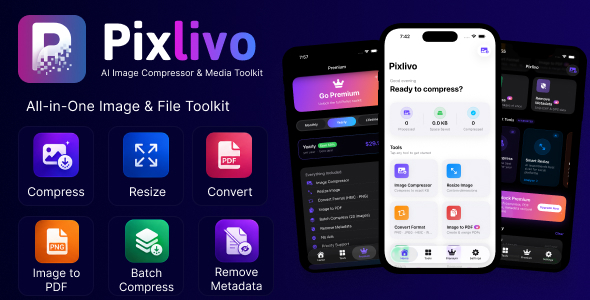
6 Instruments. 4 AI Options. 3 Income Streams. Zero Cloud Uploads. One App.
The Downside It Solves
Each iPhone person faces the identical every day frustration. Images take up an excessive amount of storage. Sharing giant photographs over WhatsApp or e-mail is gradual. Posting photographs to social media by accident leaks your GPS location. Changing picture codecs requires downloading one more app. Producing a PDF from photographs feels unnecessarily sophisticated.
Persons are pressured to juggle 5 totally different apps — or worse, add their non-public photographs to unknown cloud servers simply to compress them.
Pixlivo solves all of this in a single app — fully on-device, zero cloud uploads, full privateness assured.
What Is Pixlivo?
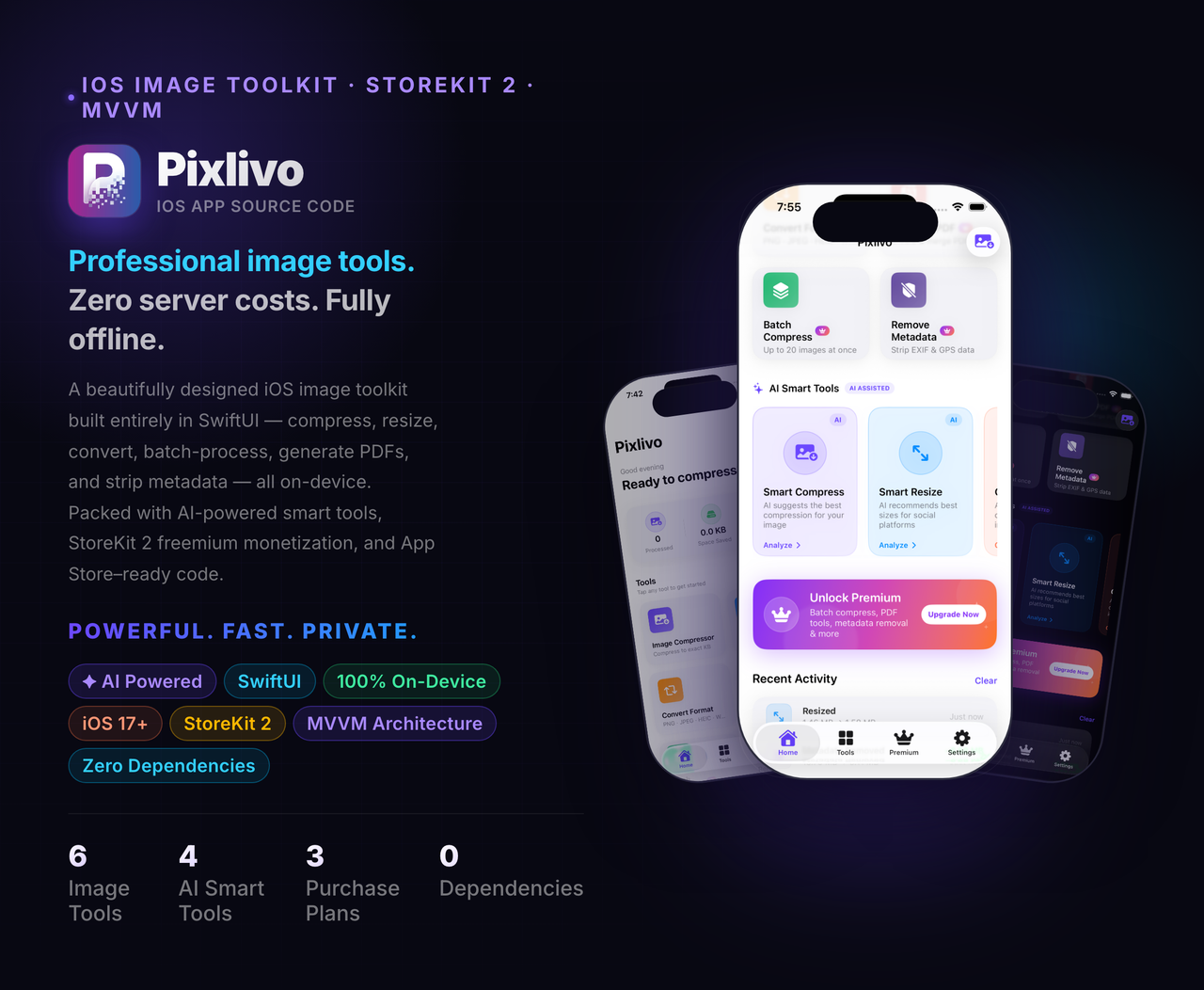
Pixlivo is a production-ready iOS app supply code constructed fully in SwiftUI and Swift 5.9. It offers your customers an entire picture and media processing toolkit with actual AI-powered good instruments — all operating regionally on the system utilizing native Apple frameworks. No third-party SDKs required for core options.
You get a totally monetized app with StoreKit 2 in-app purchases, AdMob advert integration, push notifications, and a refined trendy UI — able to undergo the App Retailer on day one.
15+ screens · 6 processing instruments · 4 AI good instruments · 8 ViewModels · 6 Providers · Full Design System
Core Options
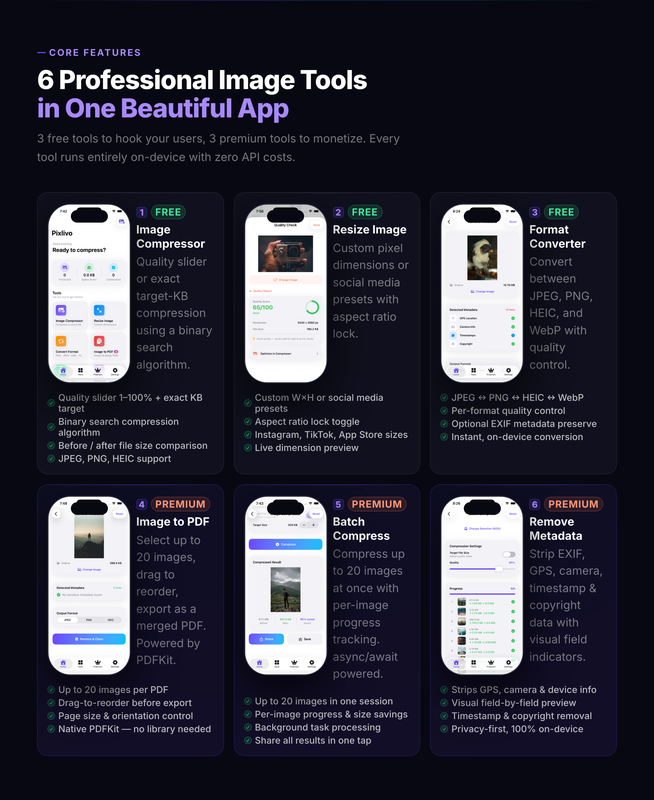
1. Picture Compression
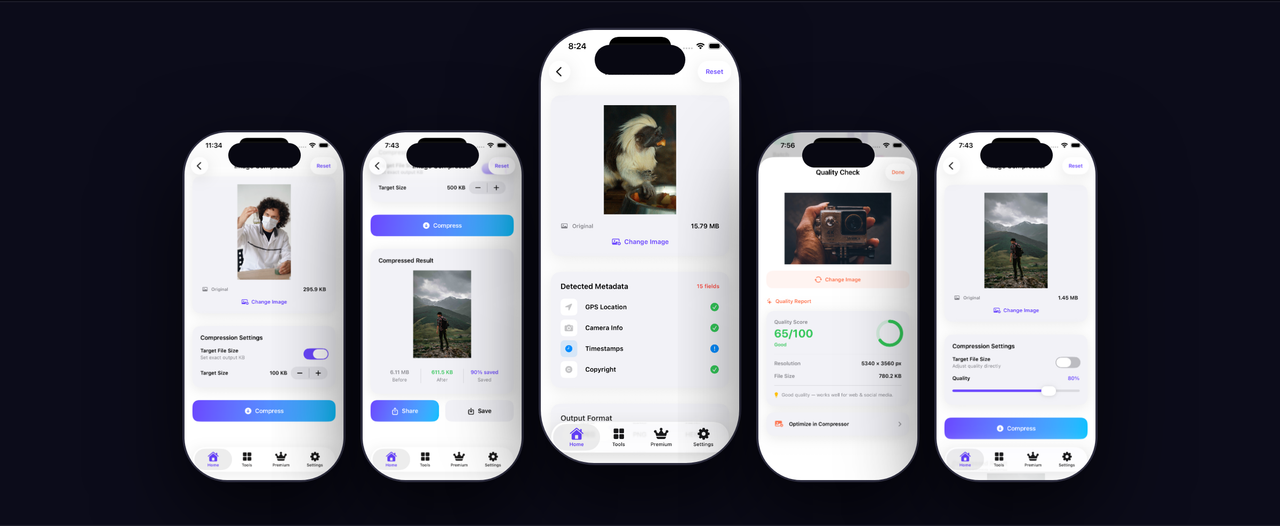
Compress photographs utilizing a top quality slider or set an actual goal file measurement in KB. A wise binary-search algorithm finds the optimum compression to hit your precise goal. Earlier than/after file measurement stats are proven in actual time so customers all the time know precisely how a lot house they saved.
2. Picture Resize
Resize any picture to totally customized dimensions with aspect-ratio lock. Consists of 7 ready-made social media presets — Instagram Submit, Instagram Story, Twitter/X Submit, Fb Cowl, LinkedIn Banner, YouTube Thumbnail, and WhatsApp DP — so customers can put together photographs for any platform in seconds.
3. Format Converter
Convert photographs between JPEG, PNG, and HEIC codecs utilizing Apple’s native CGImageDestination API. Quick, exact conversion with full high quality management. No high quality loss on lossless codecs.
4. Picture to PDF
Choose as much as 20 photographs, drag and drop to reorder them, select web page measurement (A4, Letter, or Sq.), and generate an expert PDF in a single faucet. Excellent for paperwork, portfolios, invoices, and shows.
5. Metadata Remover
Scan any picture and see precisely what non-public information is embedded — GPS coordinates, digital camera mannequin, timestamps, copyright tags, and full EXIF information. Strip all the things with one faucet earlier than posting to social media or sharing publicly. A necessary privateness device each person will love.
6. Batch Compression
Queue as much as 20 photographs directly for bulk processing. Per-item progress monitoring and a one-tap Export All make dealing with giant picture libraries quick and easy.
7. Exercise Dashboard
A dwell dashboard exhibits whole photographs processed, whole storage saved, and a full scrollable current exercise historical past — all continued so stats and historical past survive app restarts.
8. Premium / Paywall (StoreKit 2)
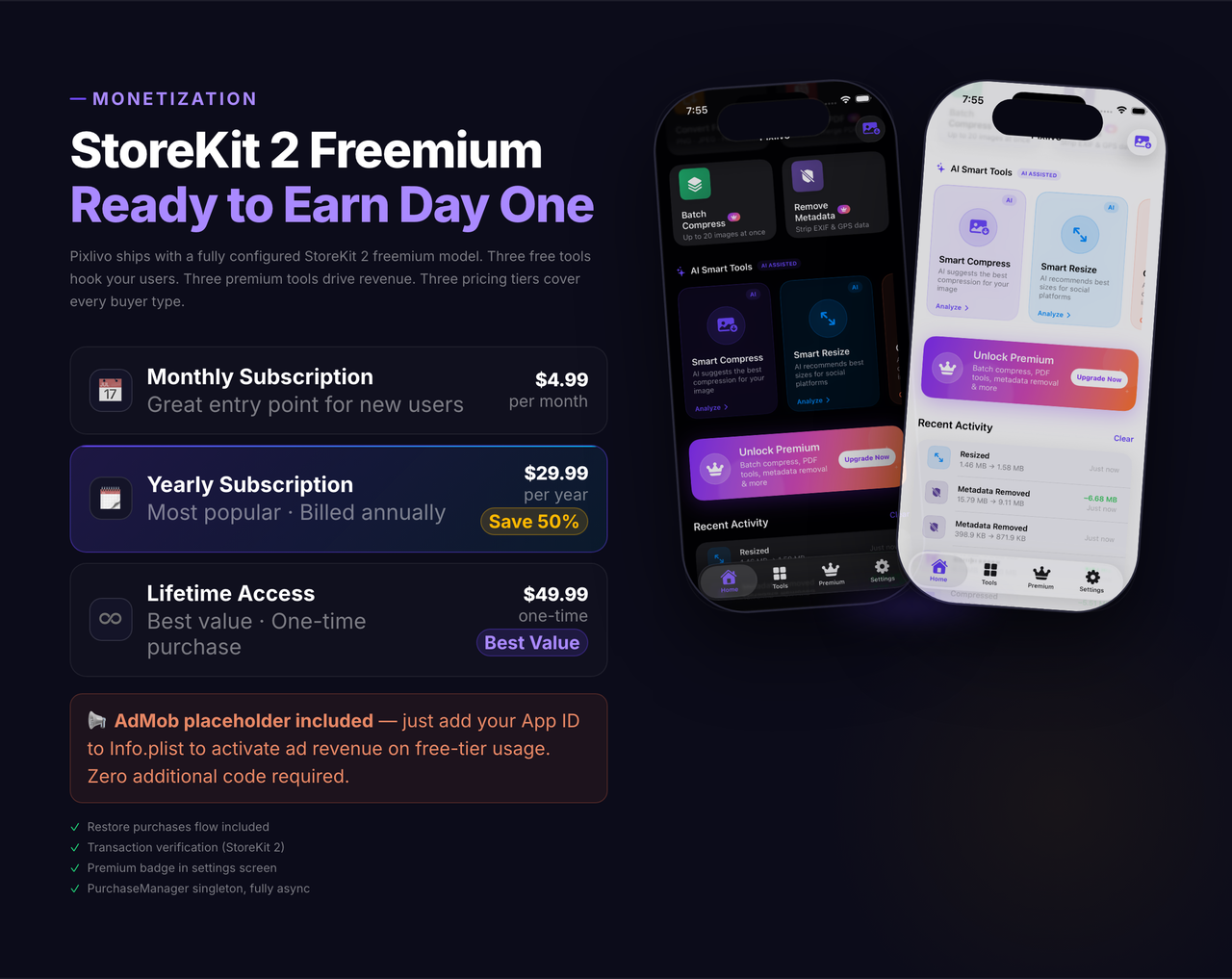
A elegant paywall wired to StoreKit 2 with three plans: Month-to-month subscription, Yearly subscription, and a Lifetime one-time buy. Restore Purchases included. Simply add your App Retailer Join product IDs to AppConfig.swift.
9. AdMob Prepared
Banner, interstitial, and rewarded advert placeholders are pre-wired and prepared. Allow advertisements by putting in the Google Cellular Adverts SDK and including your AdMob IDs — no structural modifications to the codebase wanted.
10. Push Notifications
Weekly reminder notifications utilizing Apple’s UNUserNotificationCenter. Customers can toggle on or off instantly from throughout the app Settings display screen.
AI Good Instruments
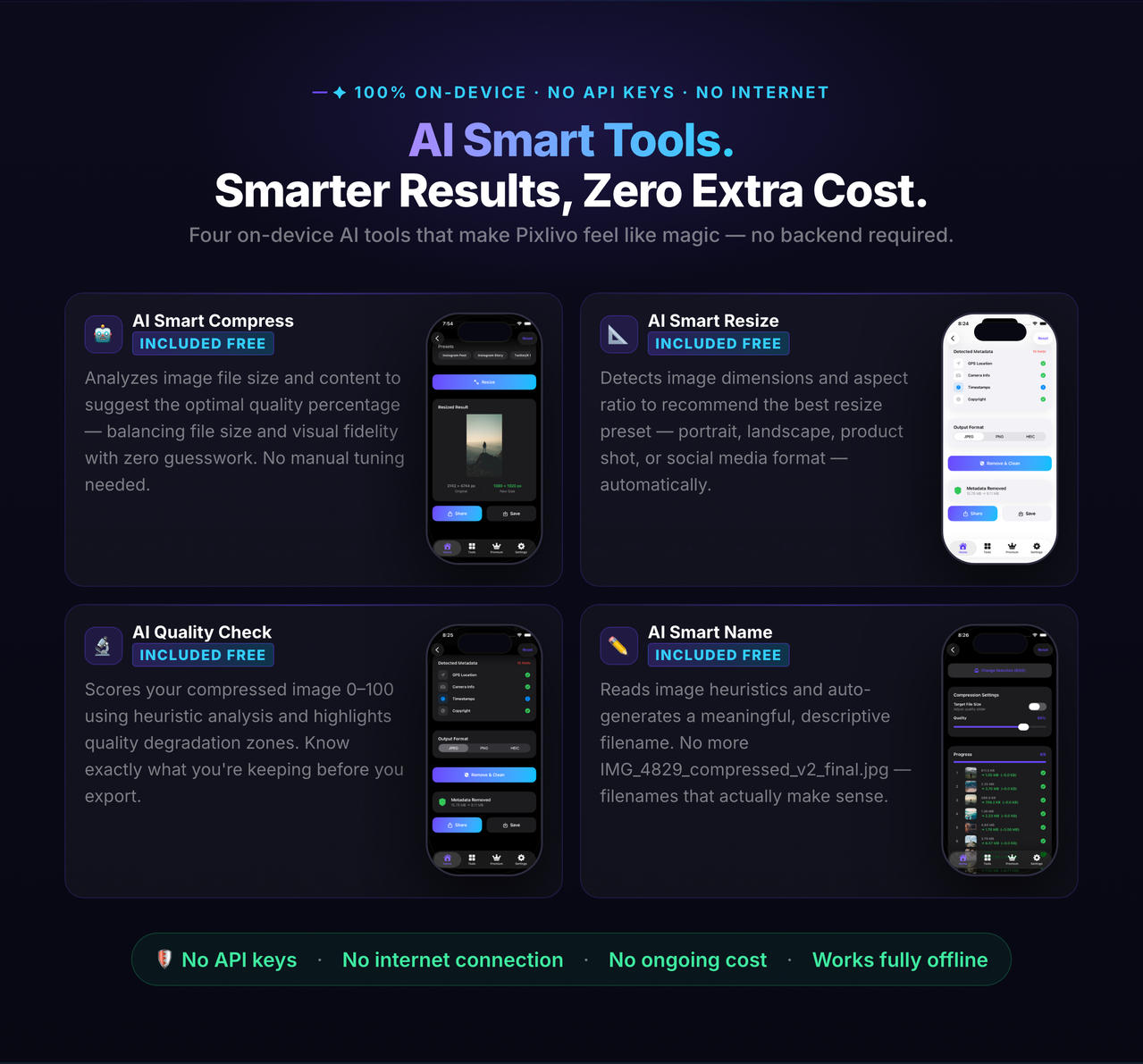
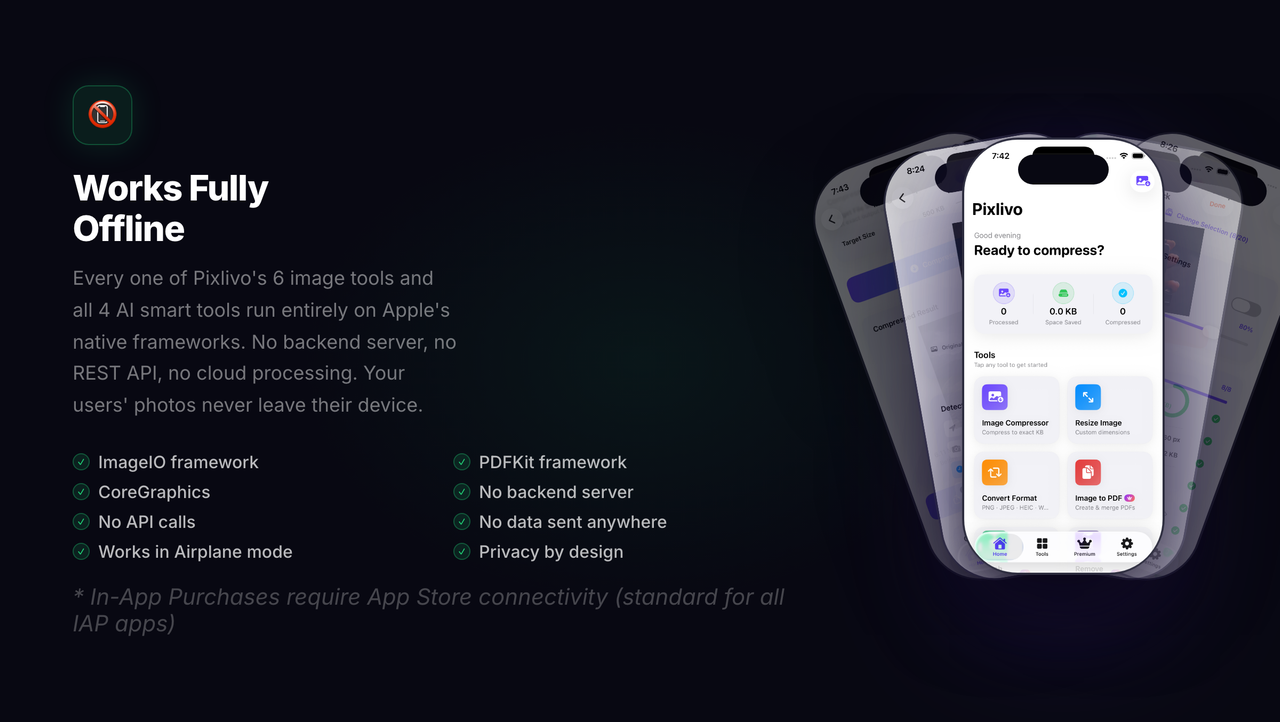
Pixlivo features a devoted AI Good Instruments part on the house display screen — 4 on-device clever instruments that analyze your photographs and make good suggestions immediately, with no web connection required.
Good Compress
Analyzes the picture file measurement and routinely recommends the perfect compression high quality proportion. For instance: a 3MB picture will get flagged as “Heavy file — aggressive compression suggested” and a exact high quality goal is usually recommended.
Good Resize
Analyzes the picture’s side ratio and routinely recommends the most effective matching social media preset with precise dimensions and a plain-English clarification of why it matches.
High quality Examine
Scores the picture high quality from 0–100 based mostly on decision and bits-per-pixel density. Returns a verdict (Wonderful / Good / Honest / Wants Work), the precise decision, file measurement, and an actionable tip to enhance high quality.
Good Identify
Detects the picture orientation (sq., panorama, portrait) and auto-generates a clear descriptive filename with dimensions and date — prepared to repeat to clipboard and use on export.
All 4 instruments run fully on-device. No AI API calls, no subscriptions, no information despatched anyplace.
Function Highlights
 |
 |
 |
 |
 |
 |
 |
 |
 |
 |
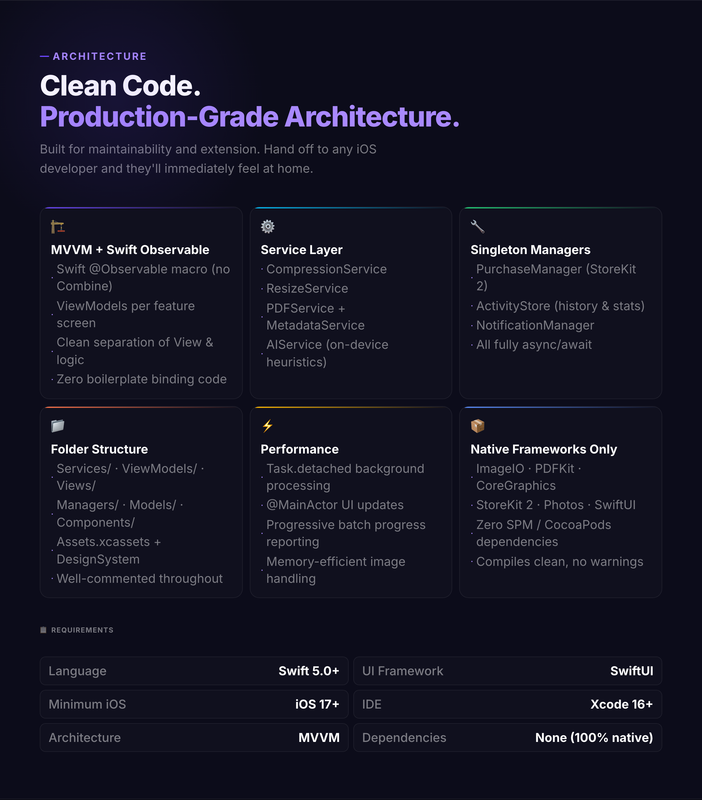
Technical Highlights
- 100% SwiftUI — trendy declarative UI, no UIKit mixing
- MVVM Structure — clear separation: Providers → Managers → ViewModels → Views
- Zero exterior dependencies for core options — no CocoaPods, no SPM packages required
- StoreKit 2 — trendy async/await buy movement, receipt validation built-in
- On-device processing — CoreImage, ImageIO, PDFKit, Imaginative and prescient framework
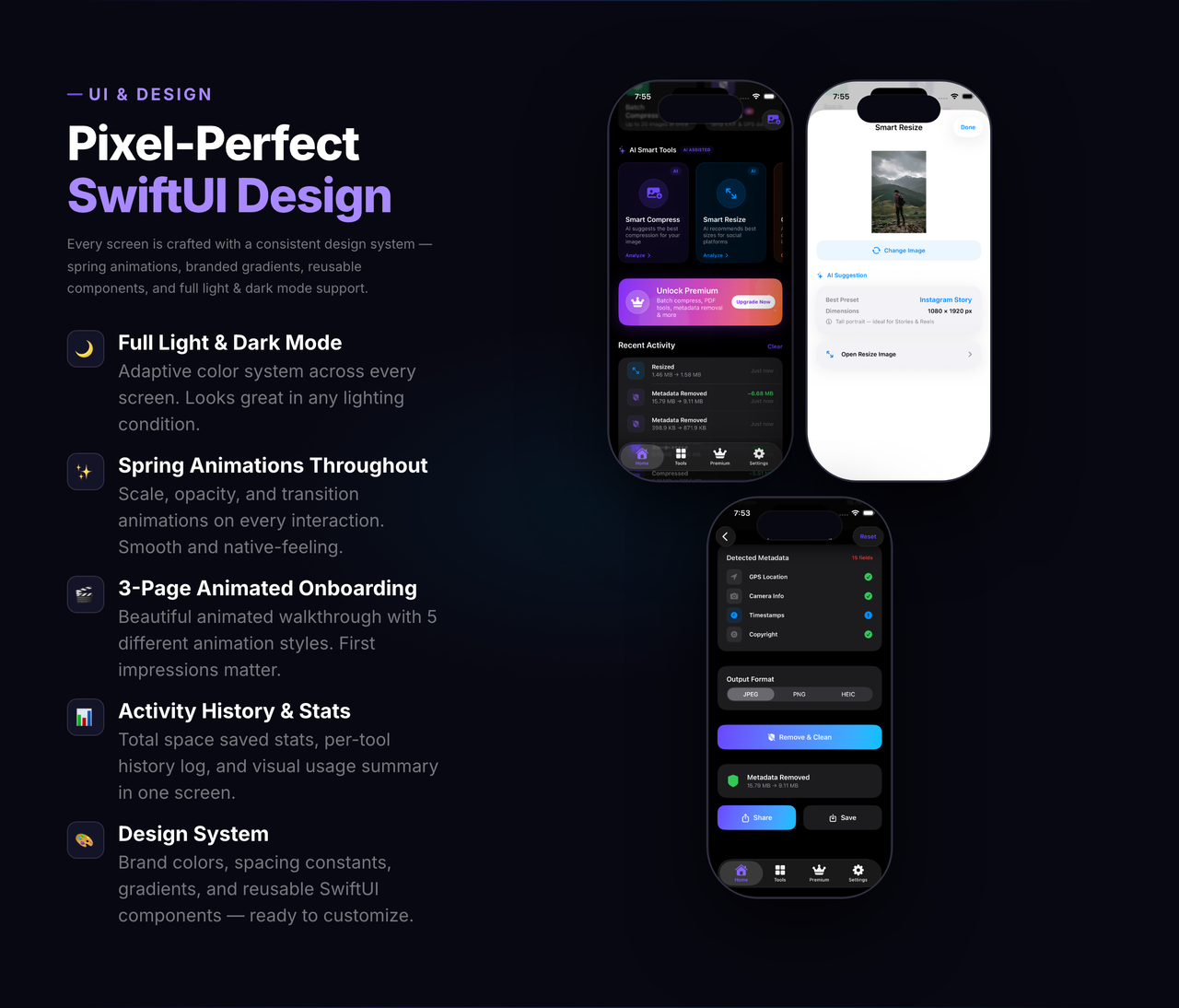
- Darkish Mode totally supported all through
- Common — iPhone and iPad
- Effectively-structured, clear code — simple to learn, customise, and prolong
- AppConfig.swift — single centralized file to configure app title, help e-mail, product IDs, AdMob IDs, and all URLs
Necessities
- Xcode: 16.0 or later
- iOS Deployment Goal: iOS 17.0+
- Swift: 5.9+
- Apple Developer Account: Required for App Retailer submission
- AdMob Account: Non-obligatory — for advertisements monetization
- App Retailer Join: Required for in-app purchases
- System: iPhone / iPad (Common)
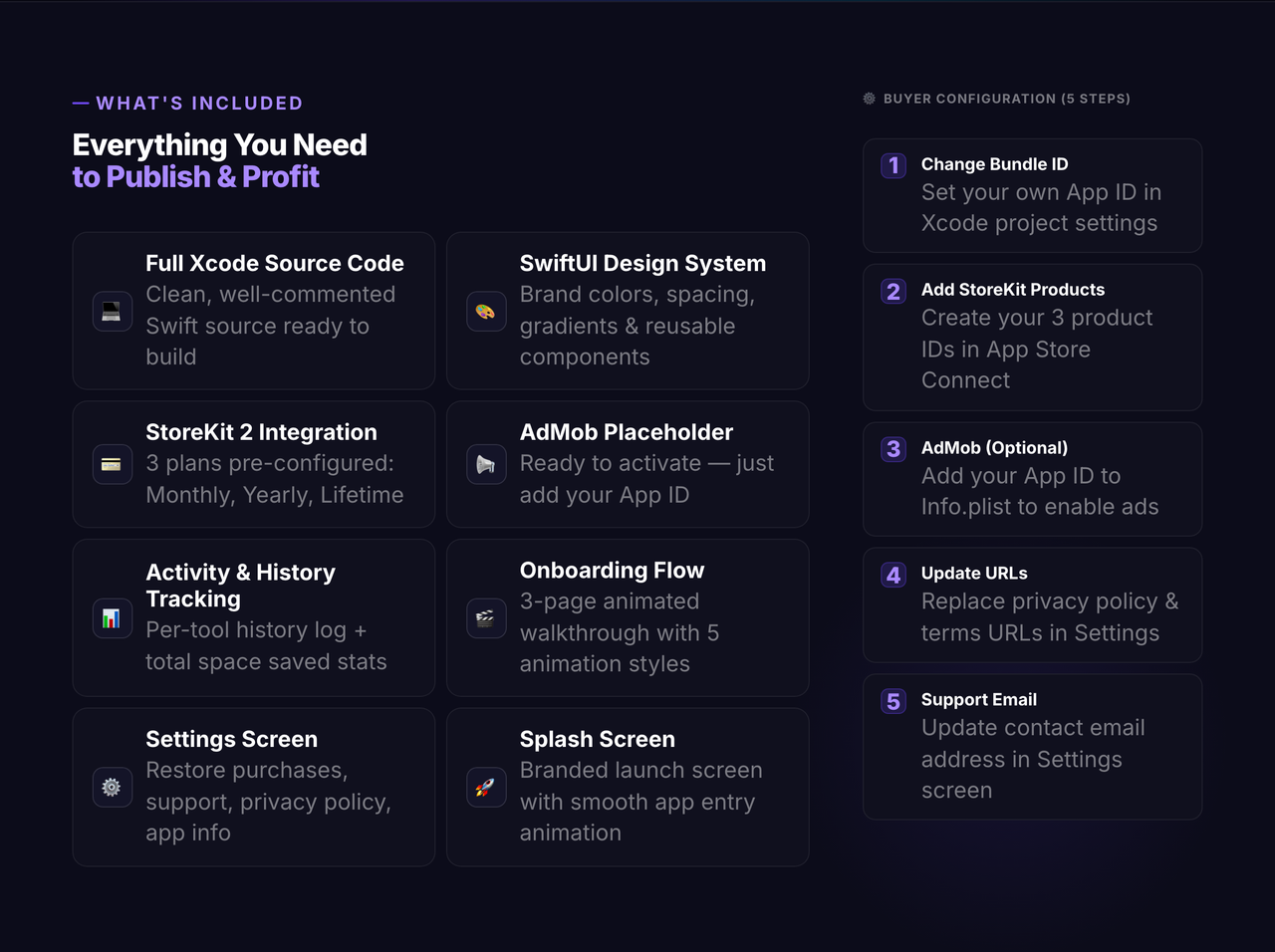
What’s Included
- Full Xcode venture supply code — 15+ screens together with: House, Picture Compressor, Picture Resize, Format Converter, Picture to PDF, Metadata Remover, Batch Compress, AI Good Instruments, Paywall, Settings, Exercise Dashboard, and Onboarding
- All Swift supply recordsdata — Views, ViewModels, Providers, Managers, Fashions, Elements
- AppConfig.swift — centralized purchaser configuration file
- Full Design System — Colours, Fonts, Gradients, Spacing tokens
- Documentation folder — full Setup Information and step-by-step purchaser guidelines
- License
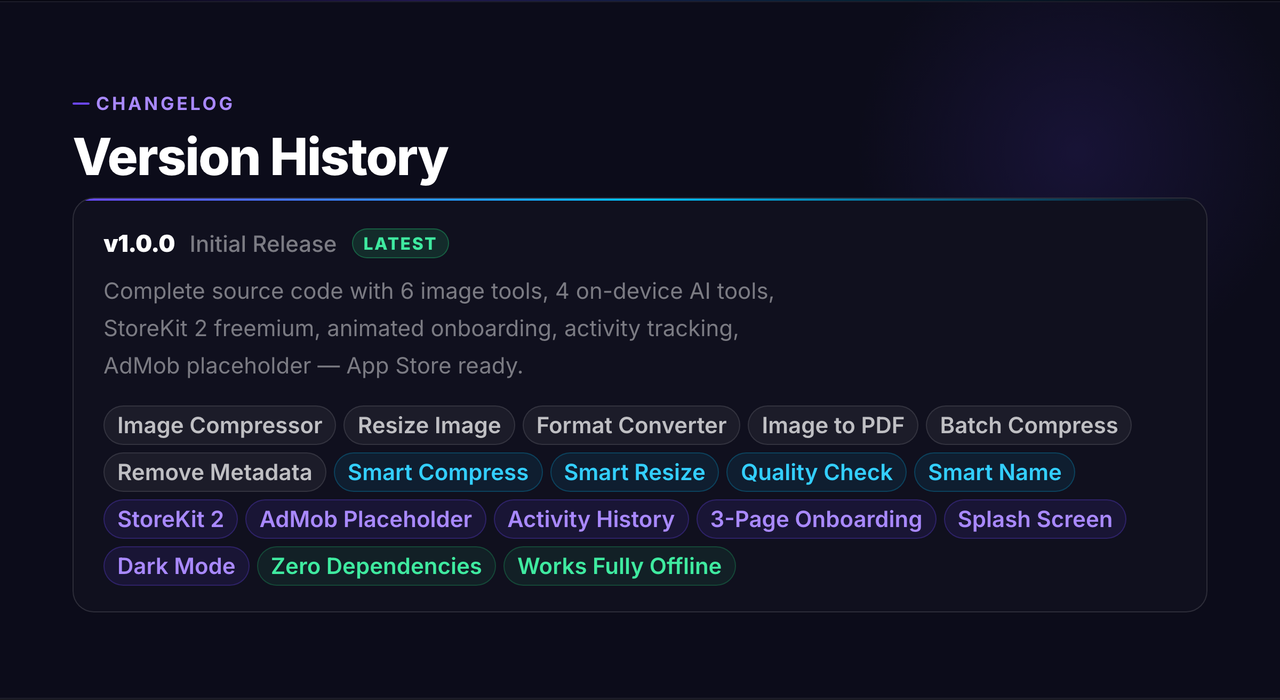
Model Historical past
v1.0 — Preliminary Launch
- 6 core picture processing instruments
- 4 AI Good Instruments (Good Compress, Good Resize, High quality Examine, Good Identify)
- StoreKit 2 paywall with 3 buy plans
- AdMob integration (banner, interstitial, rewarded)
- Exercise dashboard with persistent historical past
- Push notifications
- Darkish Mode help
- Full documentation included
Help
Full documentation is included within the Documentation/ folder. An in depth SetupGuide.md walks you thru each configuration step — from Xcode signing and StoreKit setup to AdMob integration and App Retailer submission.
Questions earlier than buy? E mail [email protected] — response inside 24–48 hours.
Want Customized App Improvement?
E mail: [email protected]
Obtainable for freelance cellular app growth and customized utility options.
You probably have an app thought and need to flip it into an actual product, be at liberty to get in contact.


