

iOS and iPadOS solely: these are native Swift / SwiftUI apps. Android is just not included and never supported.
Declarations. AI instruments have been used to help with components of the code, documentation and graphics of this merchandise. All options have been constructed and checked in Xcode; each app builds for the iOS simulator with no errors and no warnings. iPhone, iPad, Xcode, Apple Music and App Retailer are logos of Apple Inc. This merchandise is just not affiliated with or endorsed by Apple.


MIKODES: official website mikodes.com · assist mikodes.com/support · all tasks mikodes.com · open for customized tasks: tell us what you need

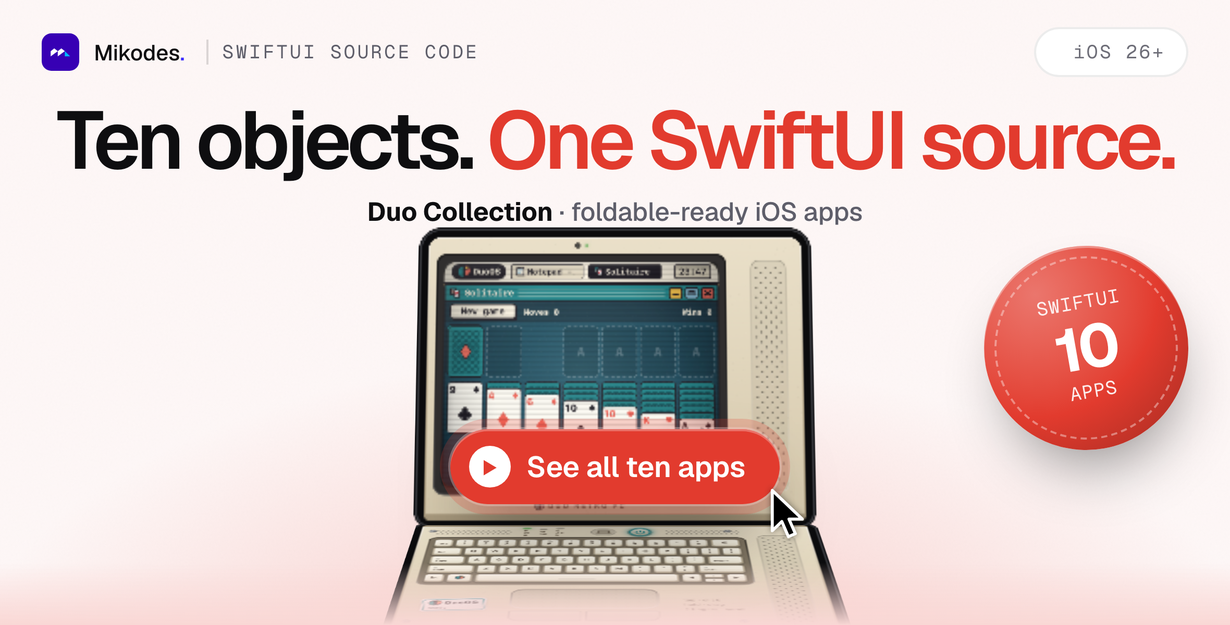
Ten prepared iOS and iPadOS apps to rebrand and publish (no Android)
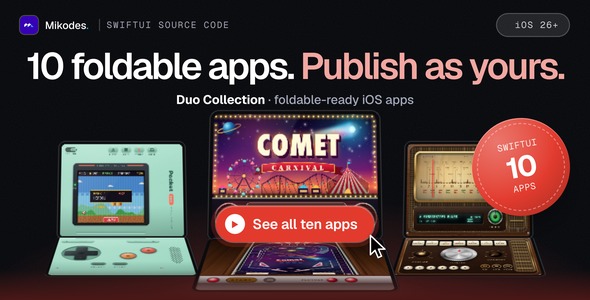
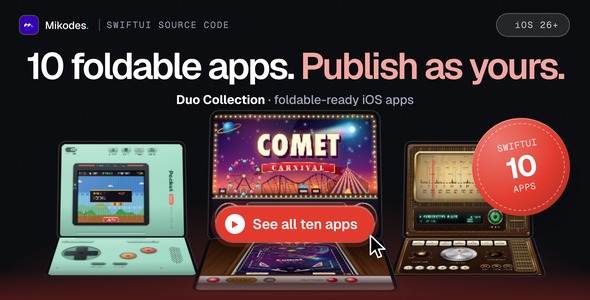
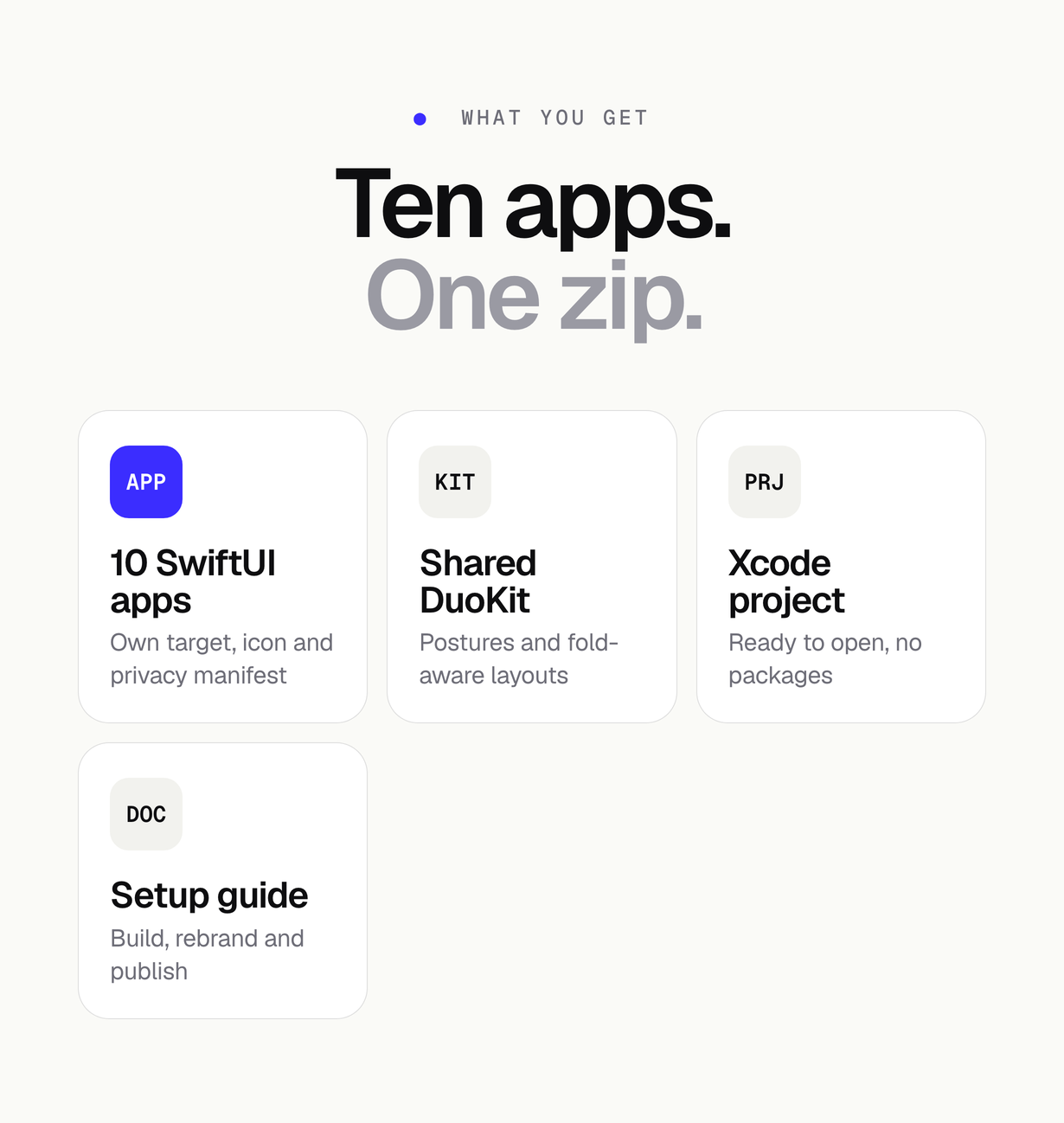
Duo Assortment is the complete SwiftUI supply code of 10 skeuomorphic apps: Pocket, Tape, Squeeze, Camcorder, Fleet, Retro PC, Diner, Pinball, Typewriter and Radio. Every app is its personal Xcode goal with its personal icon, Information.plist and privateness manifest, so that you may give every one your personal title and look and publish it on the App Retailer as your app.
The apps are designed for the foldable two-screen iPhone: within the half-folded “laptop computer” posture the higher half exhibits the display and the decrease half takes the enter (pinball desk and flippers, handheld display and buttons, desktop and keyboard). They’re common and likewise run on each iPhone and iPad.
Vital: third-party service and prices
- Radio makes use of a third-party service. It masses stations from the free Radio Browser neighborhood API (no API key required). The service is just not a part of this merchandise, has no uptime assure, and the radio streams are third-party content material owned by their broadcasters. This merchandise is just not affiliated with or endorsed by Radio Browser or any broadcaster.
- Not included within the merchandise value: an Apple Developer Program membership (paid to Apple, wanted to publish), take a look at units, music content material and radio streams. You publish underneath your personal account.
- The opposite 9 apps work totally offline and want no exterior service.
Who it’s for
- iOS builders and studios who desire a set of completed, polished apps to rebrand and publish
- Groups making ready apps for the foldable iPhone who need working fold-aware SwiftUI layouts
- Builders who need to be taught real-time audio synthesis, customized recreation physics and skeuomorphic SwiftUI drawing from full tasks
Rebrand earlier than you publish. Different patrons have the identical supply code. Apple’s App Evaluation Guideline 4.3 rejects copies and near-identical apps, so give each app you ship its personal title, bundle ID, icon, colors and in-app textual content. The documentation has a step-by-step rebrand information. This merchandise makes no promise of App Retailer approval, downloads or earnings.
Documentation and preview
Full documentation is included within the obtain (documentation/index.html, works offline) and on-line at duo.mikodes.com/documentation: necessities, fast begin, signing, rebrand information with the precise mission.yml traces, a information for every of the ten apps, DuoKit postures, permissions and privateness, publishing, Apple guideline 4.3, troubleshooting and FAQ.
Demo directions: there isn’t any hosted stay demo for native iOS apps. Construct any scheme for the iPhone Duo, iPhone or iPad simulator; no login or account is required. The screenshots on this web page are simulator captures of the included apps.
Core options
Shared DuoKit
- Posture system with closed, open and half-folded laptop computer postures and a posture menu in each app (iOS stories no hinge angle, so laptop computer is chosen within the menu or with a launch argument)
- Fold-aware break up layouts: content material on the higher half, enter on the decrease half
- Internal-display size-class repair so the open structure seems on the foldable’s internal show
- Common iPhone and iPad targets: all 10 apps run on each iPhone and iPad
Pinball
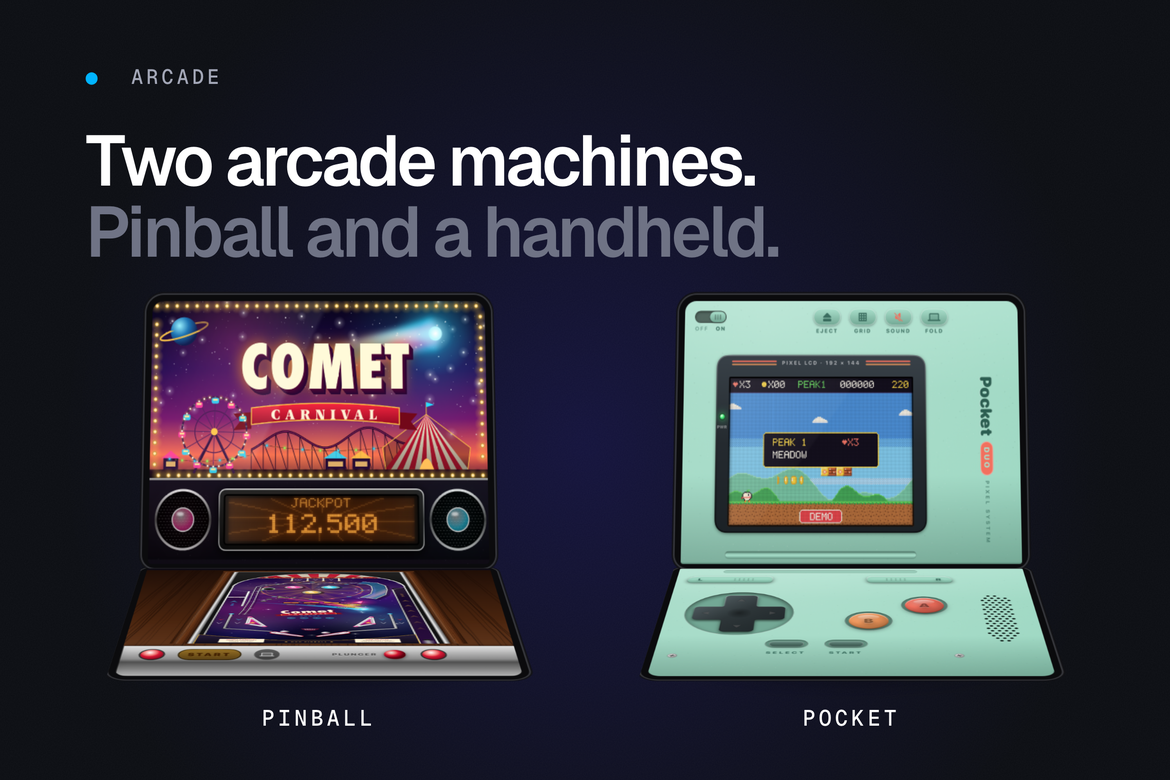
Customized 2D pinball desk with its personal physics.
- Customized 2D pinball physics with flippers, plunger and ramps
- Sport guidelines: multiball, ball locks, jackpot, additional ball, ball save and tilt
- Dot-matrix show, backglass artwork, synthesized sound results and theme music
- Nudge the desk by shaking the machine or with a flick; native excessive scores
A retro handheld console shell with 4 authentic video games (no emulator, no ROMs).
- 4 authentic built-in video games: Block Bloom, Comet Cadet, Noodle and Pip’s Peaks, picked from a cartridge shelf
- Framebuffer recreation host, pixel font, chiptune audio and per-game excessive scores
- Multi-touch D-pad and face buttons, shell themes and LCD modes
- Laptop computer posture: display on the highest half, controls on the underside half
Retro PC
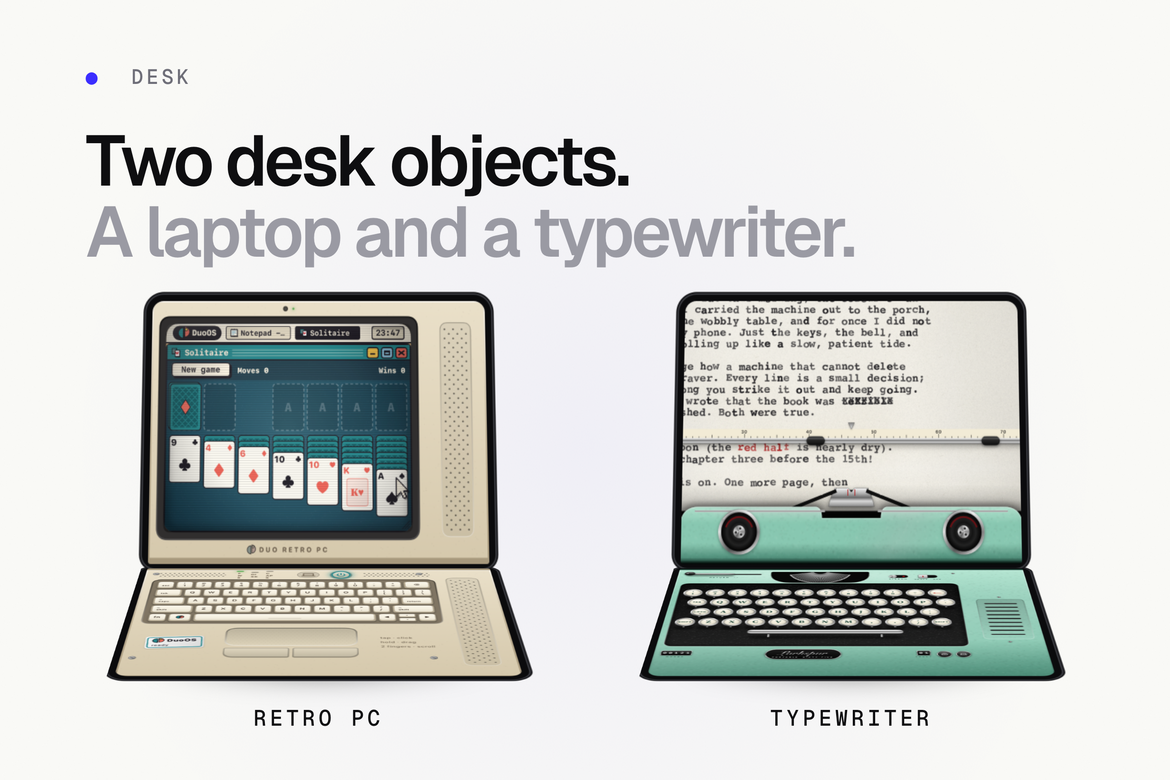
An authentic retro desktop working system.
- Boot display, home windows, mouse pointer and CRT impact
- 9 built-in packages: Calculator, Bricks, Clock/Calendar, Mines, Paint, Snake, Notepad, Solitaire and Settings
- On-screen keyboard and trackpad, wallpapers and an area file retailer
Typewriter
A mechanical typewriter for writing quick paperwork.
- Animated carriage, platen, ribbon and ink rendering
- On-screen key deck plus {hardware} keyboard assist
- Doc drawer with PDF and plain-text sharing
- Colorways, synthesized key sounds and a demo script
Camcorder
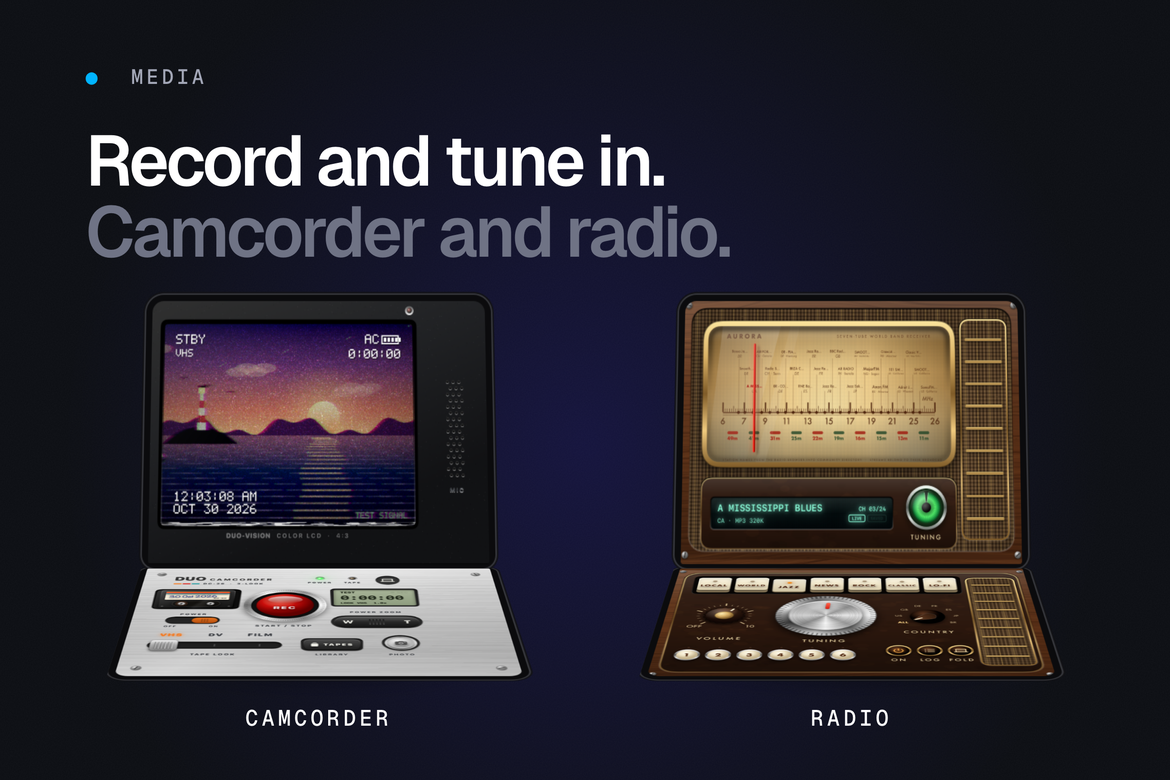
A video digital camera with retro seems to be.
- Digicam recording with stay VHS, DV and FILM seems to be
- Date stamp overlay; a take a look at sign is proven when no digital camera is offered
- In-app tape library and save to Photographs
Radio
A world-band radio for stay web stations.
- Tune stay stations by nation from the Radio Browser neighborhood listing
- Stream playback with metadata, Now Taking part in and distant instructions, background audio
- Static between stations, presets, station log, magic eye, VFD strip and knobs
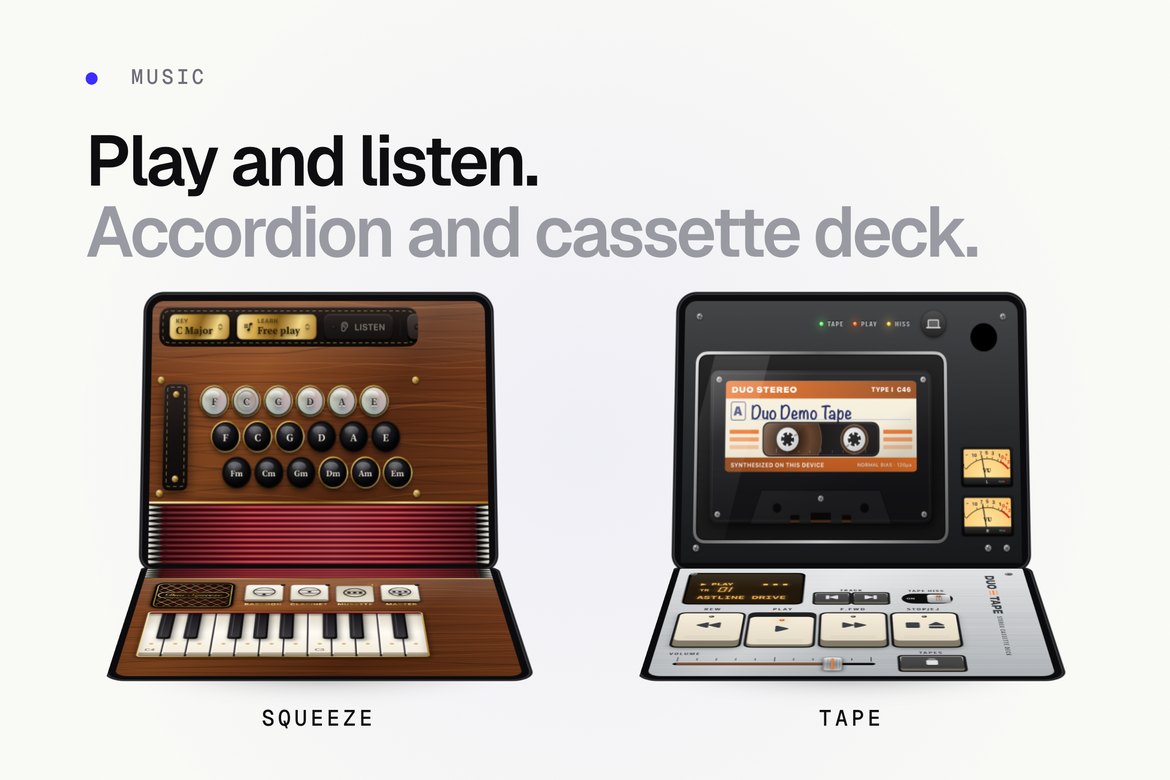
Squeeze
A playable accordion.
- Actual-time synthesized reeds (no pattern information)
- Bellows drag and motion-driven air, piano keyboard and bass button panel
- Music mode with falling notes and 4 public-domain tunes
Tape
A cassette deck for the consumer’s personal music library.
- Albums and playlists from the consumer’s music library seem as tapes
- Constructed-in synthesized demo tapes, so the deck works and not using a library (simulator, App Evaluation)
- Mechanical deck sounds, VU meters, LCD marquee and system quantity
- Background audio playback
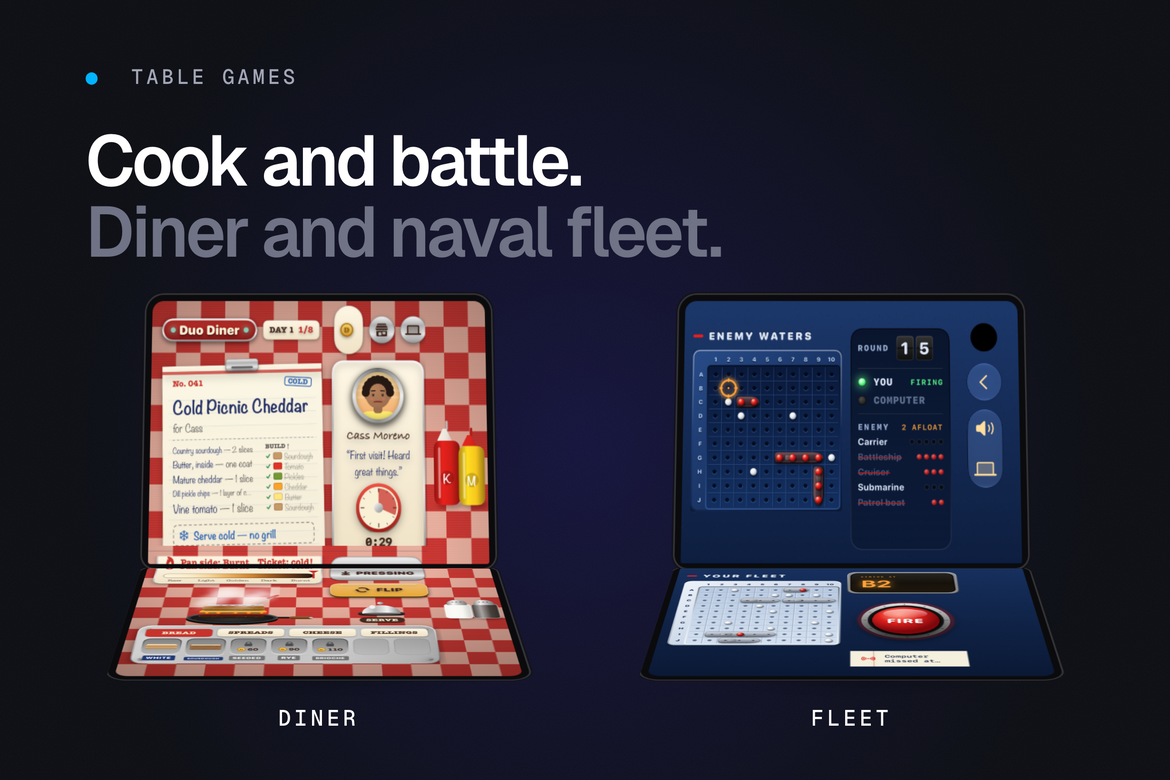
Diner
A toastie cooking recreation.
- Construct and grill sandwiches for patrons and their orders
- In-game coin economic system and ingredient store (recreation forex solely, no actual cash, no in-app purchases)
- Saved progress, themes and synthesized sound
Fleet
A naval battle board recreation.
- Play in opposition to the pc with 3 AI ranges
- Go & Play with a privateness curtain between turns
- Handbook or automated fleet placement, stats and a outcomes overlay
The way it works
- Open
supply/DuoApps.xcodeproj, set your Workforce and bundle ID prefix. - Decide a scheme (one per app) and run it on the simulator or your machine.
- Rebrand the apps you need to ship: title, bundle ID, icon, colors and in-app textual content.
- Archive and publish every app from Xcode underneath your personal Apple Developer account.
Settings and admin
There isn’t a admin panel and no backend. Every app retains its settings (posture alternative, themes, excessive scores, saved progress, paperwork) on the machine. Configuration for you because the developer lives in mission.yml and the Xcode mission.
Privateness and safety
- No knowledge assortment: no accounts, analytics, adverts, monitoring or in-app purchases within the code
- A
PrivacyInfo.xcprivacyprivateness manifest in each app - Permissions are requested solely the place wanted, with utilization texts you may edit: digital camera, microphone and including to Photographs (Camcorder), music library (Tape)
- Radio permits media streams over plain HTTP (wanted for a lot of radio stations); that is documented so you may evaluation it
Tech stack
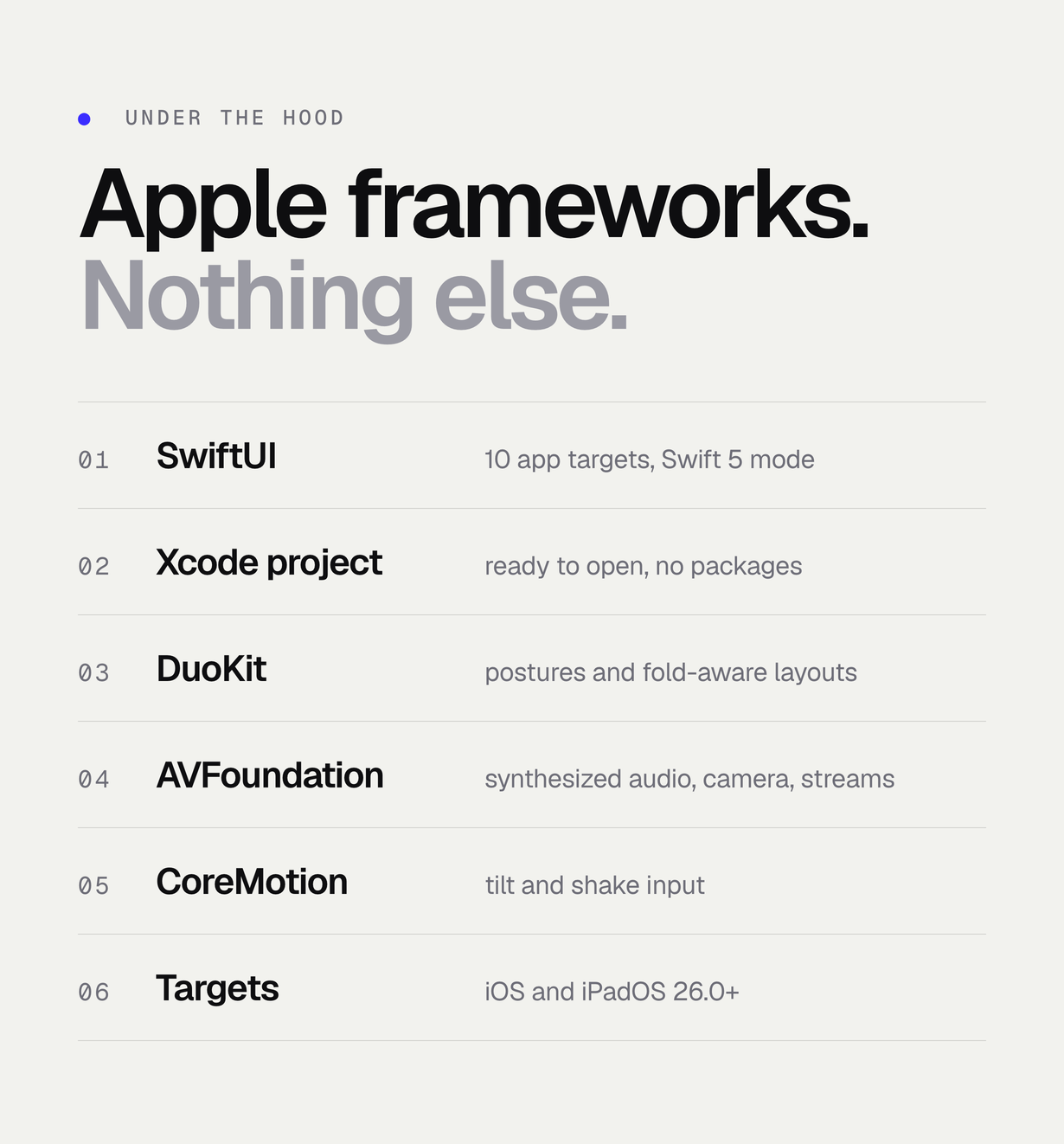
- Swift and SwiftUI, Swift language mode 5
- Apple frameworks solely: SwiftUI, UIKit, Basis, Commentary, AVFoundation, MediaPlayer, Photographs, CoreImage, CoreMotion, Steel/MetalKit and AudioToolbox
- No Swift packages, no CocoaPods, no third-party SDKs
- All audio is synthesized in code; all paintings is drawn in code (solely the app icons are picture information)
- One prepared Xcode mission with 10 targets and schemes (the included
mission.ymlis just for non-obligatory XcodeGen)
Necessities
- A Mac with Xcode 27.1 or newer (iOS 27.1 SDK)
- iOS / iPadOS 26.0 or newer on track units
- An Apple Developer Program membership to publish (paid to Apple, not included)
- Web connection for Radio solely
- Foldable iPhone non-obligatory: the Xcode foldable simulator and any iPhone or iPad work for growth
- XcodeGen 2.45 or newer, non-obligatory, solely to regenerate the mission after enhancing
mission.yml
What’s included
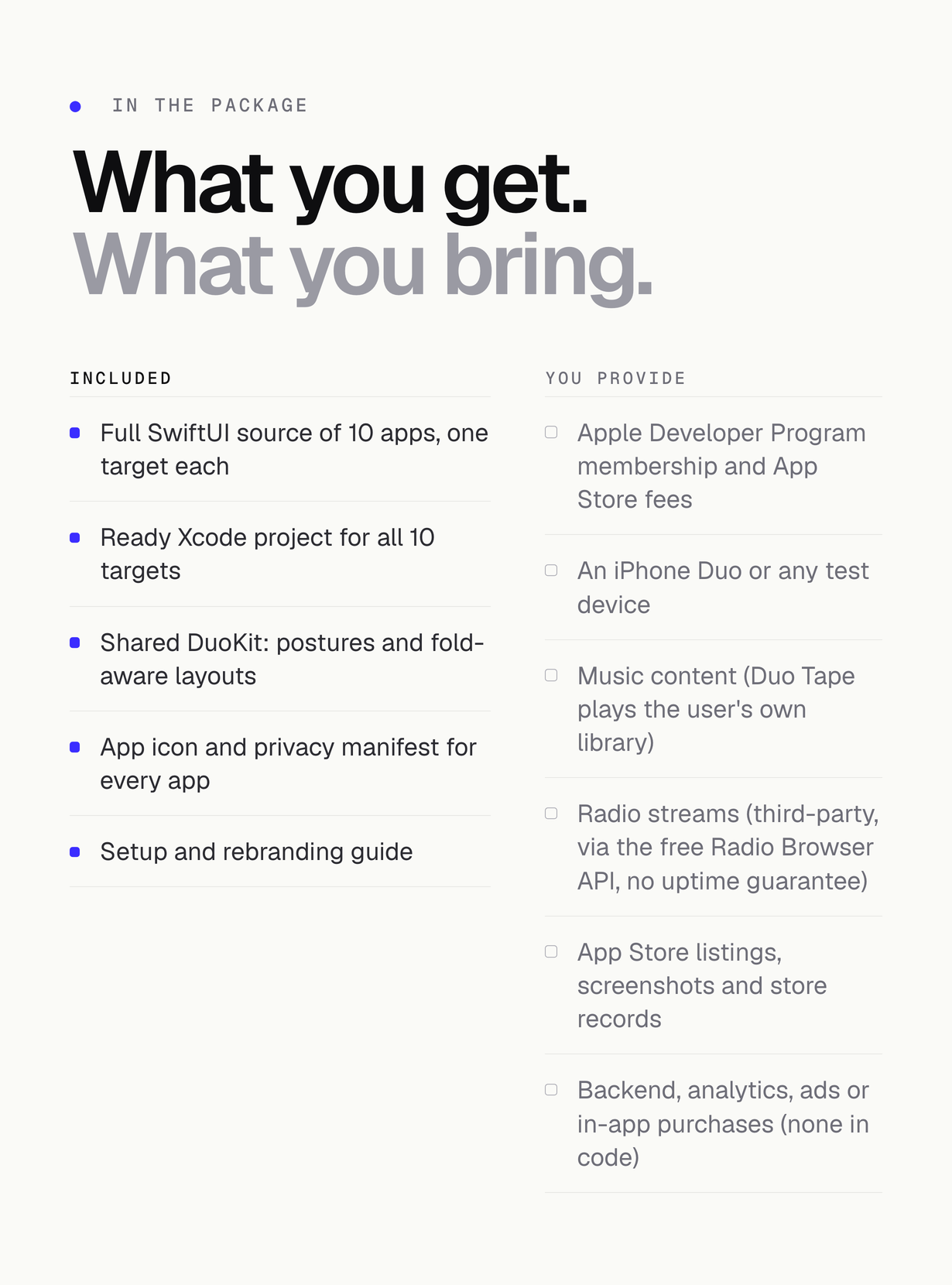
- Full Swift / SwiftUI supply code of all 10 apps and the shared DuoKit
- Prepared
DuoApps.xcodeprojwith an empty Workforce andcom.yourcompany.duo.*placeholder bundle IDs mission.ymlfor XcodeGen- App icons and a privateness manifest for each app
- Offline HTML documentation
Not included
- Apple Developer Program membership and App Retailer charges
- Any bodily take a look at machine
- Music content material (Tape performs the consumer’s personal library) and radio stations or streams (third-party broadcasters)
- App Retailer listings, retailer screenshots, a advertising and marketing website or area
- Backend, analytics, adverts or in-app purchases (none exist within the code)
- Publishing the apps for you, or any App Evaluation end result
Set up abstract
- Unzip the package deal and open
supply/DuoApps.xcodeprojin Xcode 27.1 or newer. - In Signing & Capabilities set your Workforce for every goal you need to run; change the bundle ID prefix.
- Select a scheme and run it on a simulator or machine.
- To see the foldable laptop computer structure, select Laptop computer within the in-app posture menu or add the launch argument
-duo.postureChoice laptop computer.
Changelog
Model 1.0.0 (2026-10-30)
- Preliminary launch: 10 SwiftUI apps (Pocket, Tape, Squeeze, Camcorder, Fleet, Retro PC, Diner, Pinball, Typewriter, Radio) and the shared DuoKit
- Closed, open and laptop computer layouts in each app; posture menu; inner-display size-class repair
- Prepared Xcode mission plus
mission.yml; constructed with Xcode 27.1, minimal iOS / iPadOS 26.0

Assist
Assist is supplied by means of this merchandise’s Feedback tab. Please embrace the app title, your Xcode model, the machine or simulator and the precise error textual content or a screenshot. Assist covers questions in regards to the package deal and documentation, assist constructing and working the included apps, and fixing bugs within the included code. It doesn’t cowl customized modifications, new options, publishing the apps for you or App Evaluation outcomes. Merchandise assist follows the Envato merchandise assist coverage.
FAQ
Do I want a foldable iPhone? No. All ten apps are common and run on each iPhone and iPad.
Are there adverts or in-app purchases? No. There isn’t a StoreKit, adverts or analytics code. You possibly can add your personal monetization.
Common or Prolonged license? Select the license on {the marketplace} merchandise web page that matches how you’ll use and distribute the apps; the Envato license phrases apply.
Credit
No third-party code is used. All video games, packages, the pinball desk, sounds and paintings are authentic to this package deal. Squeeze tune mode makes use of public-domain tunes. Radio station knowledge comes at runtime from the Radio Browser neighborhood listing and belongs to its respective homeowners.
MIKODES: official website mikodes.com · assist mikodes.com/support · all tasks mikodes.com · open for customized tasks: tell us what you need

